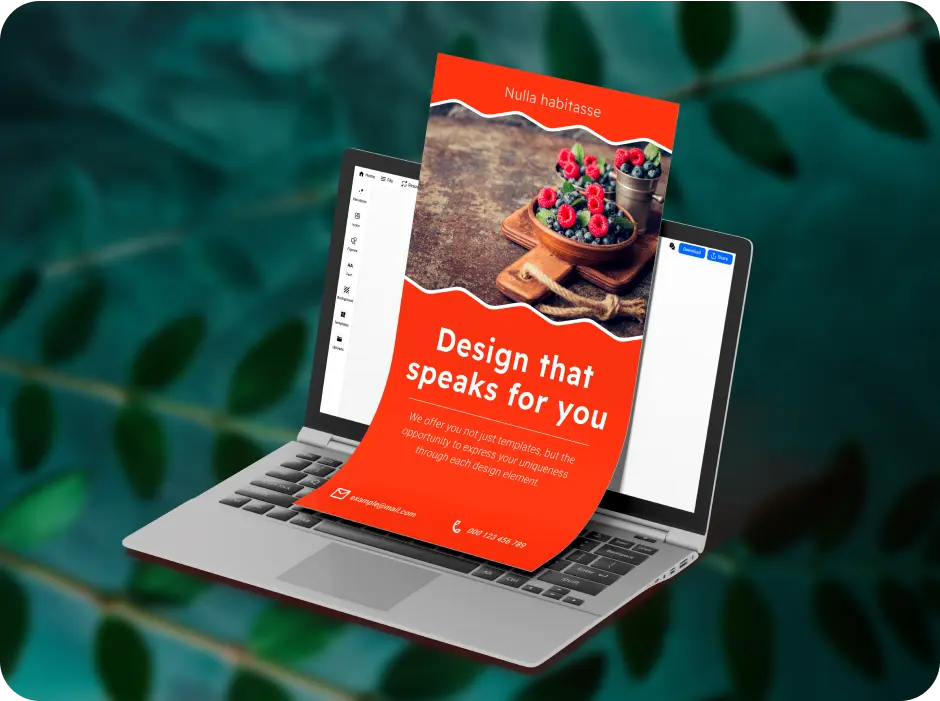
Word-of-mouth marketing works great for local businesses such as construction, auto repair, and handyman services. However, if you’re looking to increase your reach beyond the regulars, you need to get more creative with your marketing strategy. Flyers are an easy way to turn local popularity into a surge of paying customers.
In this blog post, we’ll dive into some of the best AI flyer maker options in the market and evaluate them according to their features, pricing, use cases, and more. Gone are the days where you needed to hire a professional graphic designer to make flyers, you can now do it as a one-man team and within a few clicks.
1. Canva
Table of Contents
Overview
Canva’s a great place to start for complete beginners and remains an industry leader when it comes to accessible graphic design. Whether you’re looking to create presentations, social media ads, or flyers, this platform offers millions of templates for them all. Additionally, it allows users to seamlessly shift between desktop browser and app, and allows multiple team members to collaborate on projects in real-time.
Key Features
- Pre-made templates: Layouts for social media, email, corporate purposes, print, and video.
- Brand Kit: Apply, store, and reuse branded company elements like logos, colour palettes, and fonts.
- Magic Studio: AI suite for erasing objects, removing background, generating layouts from scratch, and resizing designs for different formats.
- Content Planner: Schedule and publish social media posts directly from the editor.
- Drag-and-Drop Editor: Move text boxes, shapes, and images easily without breaking alignment.
- Collaboration: Design, edit, and share designs with other members of your team.
Pricing
- Free tier
- Pro: $15/month
- Teams: $30/month
- Enterprise: Custom
Popular Use Cases
- Creating daily Instagram posts
- Print marketing
- Local ads through Google and Meta campaigns
- Event promotion
2. VistaCreate
Overview
VistaCreate is built keeping small local businesses in mind. If you want a quick turnout for your flyers, this platform is great for simple web-based designing. It also offers a native integration with VistaPrint so you can directly send your designs to get printed. Similarly, if you’re someone who values interactivity in marketing, VistaCreate can also be used to create animated designs and flyers with no prior experience.
Key Features
- Animation Maker: Convert images into moving videos.
- Object Remover: Erase background objects and send directly to print.
- Multi-Page Editing: Edit multi-page documents and brochures.
- Team Accounts: Collaborate with up to 10 members and edit together.
Pricing
- Free tier
- Pro: $13/month
- Enterprise: Custom
Popular Use Cases
- Animated social content
- Direct-mail marketing
- Loyalty and gift cards
- Merchandise design
3. Visme
Overview
Visme’s centered on high-end data visualization. This platform offers editing tools for different types of marketing materials such as documents, charts, and presentation design. You have enterprise-grade privacy controls over the materials you make. If you’re looking to create analytical infographics, this platform’s your best bet.
Key Features
- Data Visualization: Connect data and spreadsheets to turn them into interactive charts.
- Element Builder: Clickable pop-ups, hover effects, and internal navigation links.
- Presentation Recording: Record audio and video voiceover from within the presentation slides.
- Microsite Builder: Create single page microsites to post visuals on.
Pricing
- Free tier
- Starter: $12.25/month
- Pro: 24.75/month
- Enterprise: Custom
Popular Use Cases
- Digital menus
- Investor proposals
- Staff onboarding modules
- Customer surveys
4. Desynger
Overview
Desygner offers branding controls on a whole other level. It offers its users rigorous tools to lock assets, create personalized brand kits, and build asset variations. It’s user-friendly, easy-to-navigate, and has a web-based and app-based ecosystem so you can seamlessly work on your designs on different devices. You can add or remove elements, all while keeping branding elements locked in place.
Key Features
- PDF Editor: Import, edit, and manipulate text and fonts on any PDF document.
- Template Locking: Set rules which prevent users from modifying branding elements like logos, colours, and backgrounds.
- Asset Library: Access to premium royalty-free images and stock videos.
- One-Click Resizing: Adapt a single design into any format while keeping its structural aspect ratios accurate.
Pricing
- Free plan
- Pro+: $9.95/month
- Business: $29.95/month
- Enterprise: Custom
Popular Use Cases
- Franchise marketing
- Multi-listings for real-estate businesses
- Social posting
- PDF adjustments
5. PosterMyWall
Overview
PosterMyWall is an all-in-one marketing solution that offers everything from designing posters to publishing them to fully-optimized email campaigns. If you’re a small business looking to simplify your marketing workflow, this is a good fit for you. It offers its users thousands of professionally-designed and ready-to-customize free handyman flyer templates. It’s web-based but allows you to create a variety of different formats for daily marketing.
Key Features
- Create with AI: Generate fully-designed layouts and customize elements according to design goals.
- Email Optimization: Create headers for email, write copies, and formulate email campaign strategy.
- Landing Page Creation: Create one-page websites for promotions, events, and sales.
- Drag-and-Drop Editor: Click and drop elements on flyers without any misalignment.
- Template Library: Thousands of ready-made layouts for flyers, brochures, headers, and social media ads and posts.
Pricing
- Free tier
- Premium: $13.95/month
- Premium Plus: $31.95/month
- Enterprise: Custom
Popular Use Cases
- Event promotions
- Nightlife flyers
- Retail window displays
- Flash sale campaigns
- Local community event materials
What Are Some Basic Design Principles of Creating a Flyer?
Now that you have an online poster design platform of your liking, you can start designing right away. Here are some design principles to keep in mind:
1. Focal Points
In order to capture the viewers’ attention, the important things need to be highlighted. A cluttered or overwhelming design can lessen its impact. Focus on the following elements:
- Main visual anchor (image representing your services)
- Critical image or headline larger than everything else on the flyer
- Place this element right in the middle
You need to make sure your poster is scannable and readable to the viewer in under 2 minutes. If not, it’s time to rethink your design.
2. Visual Hierarchy
To keep everything looking structured and intentional, maintain a hierarchy between all your design elements. Bold the main hook at the very top of your poster. To make sure your text copies are up-to-par, use an AI writer. Supporting details come second, followed by a strong call-to-action so audiences know what to do next.
3. Colour Palette
Use branded and cohesive colours. Analyze the colour wheel to know which tones compliment each other. Make sure you have matching branding on posts and flyers all across social media and physical locations. This will ensure you have solid recognisability as a local establishment.
4. White Space
All good flyers leave some breathing room. This ensures nothing overlaps and everything looks pleasing to the eye. Leave empty space around image borders and group related elements together so you can design faster. Similarly, make sure your margins are equal on both sides and nothing is too close to the edge of the flyer.
5. Call-to-Action
When writing a strong call-to-action, keep these principles in mind:
- There should be a singular focus (specific step to take)
- Use words that trigger urgency or anticipation
- Make sure contact details are reliable and legible
- Place QR codes for website or social media links
A CTA informs your viewer how to take action and in which direction. Make sure a CTA is present all across social media advertising or physical prints.